
 Add to Chrome
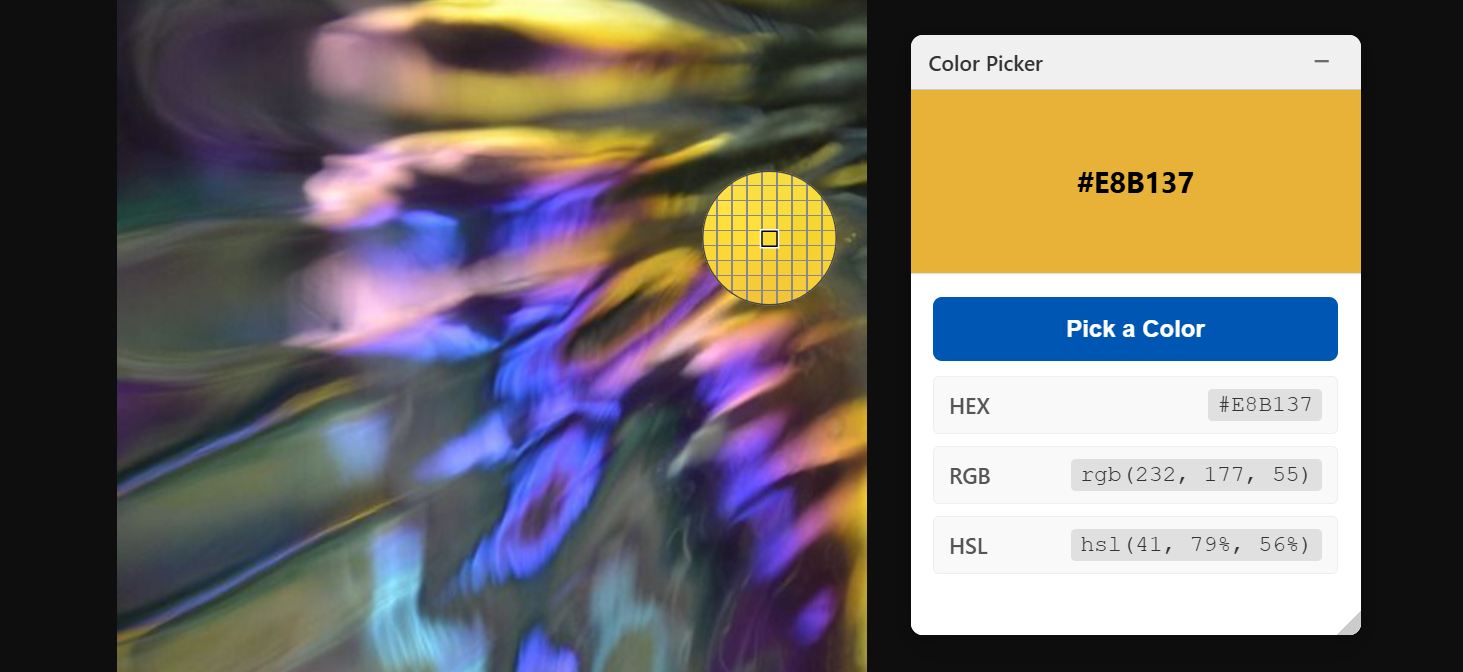
Color Picker
A color picker tool that lets you sample colors from anywhere on your screen and get HEX, RGB, and HSL values instantly.
Extension
What This Does
This doodle creates a color picker widget that lets you sample colors from anywhere on your screen and get the corresponding color codes instantly. Once you pick a color, it displays the color swatch and provides the values in three formats: HEX, RGB, and HSL. Click any value to copy it to your clipboard.
How to Use
- Click the "Add to Shaper" button to add this doodle to Shaper
- The color picker widget will appear as a floating window on any page
- Click the "Pick a Color" button to pick a color from anywhere on your screen
- The widget will display:
- A large color swatch showing your selected color
- HEX value (e.g., #007BFF)
- RGB value (e.g., rgb(0, 123, 255))
- HSL value (e.g., hsl(211, 100%, 50%))
- Click any color value row to copy it to your clipboard
Use Cases
- Web Design & Development: Match colors from existing websites or designs to maintain consistency in your projects
- Brand Color Extraction: Sample brand colors from logos, websites, or marketing materials for your style guides
- Design Inspiration: Capture color palettes from images, artwork, or websites you find inspiring
- UI/UX Work: Quickly grab exact color values from mockups, prototypes, or competitor sites
- Accessibility Testing: Sample foreground and background colors to check contrast ratios
- Content Creation: Extract colors from reference images for graphics, presentations, or social media posts
- CSS/Styling: Get precise color codes while styling web pages without switching between tools
- Color Matching: Match physical colors displayed on your screen to digital color codes