

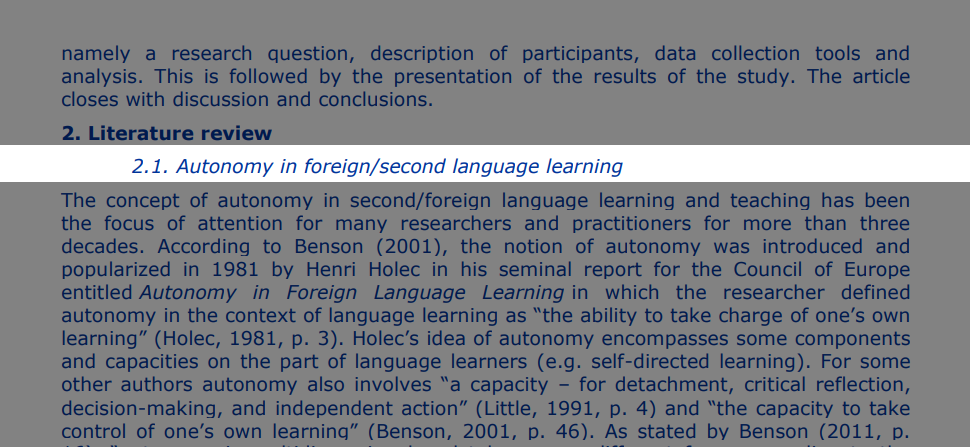
Reading Bar for Focus
A customizable reading bar that helps you focus by dimming the rest of the page, with an optional highlighter mode for enhanced concentration.
DoodleProductivity
What This Does
This doodle adds a reading bar to any webpage to take the strain out of reading on a screen. If you find yourself skipping lines, getting overwhelmed by walls of text, or losing focus due to bright distractions, this tool gives you the control you need to read with confidence.
- Never Lose Your Place: The reading bar acts as a visual guide and follows your mouse movement, ensuring you never accidentally skip a line or reread the same sentence twice.
- Reduce Screen Glare: Soften the harsh white light of modern websites by masking the areas you aren't currently reading.
- Adapt to Your Eyes: Whether you prefer a high-contrast ruler or a subtle highlighter, you can shape the tool to fit exactly how your brain processes information best
How to Use
- Click the "Add to Shaper" button to add this doodle to your browser in one-click
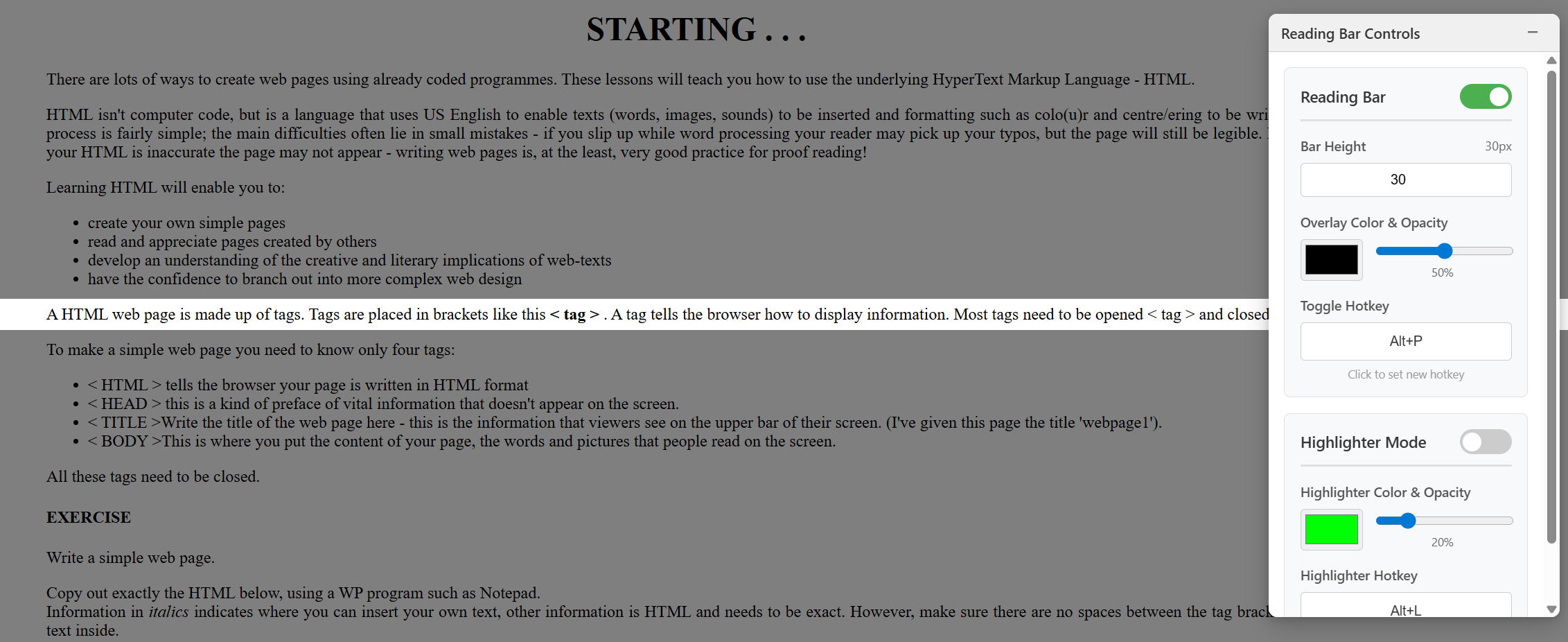
- A floating "Reading Bar Controls" panel will appear on any page
- Toggle the Reading Bar on/off using the switch at the top or keyboard shortcuts
- Customize your reading experience:
- Adjust the bar height to control how much text is visible
- Change the overlay color using the color picker
- Adjust the overlay opacity (0-100%) for comfortable dimming
- Set a custom keyboard hotkey to quickly toggle the bar on/off
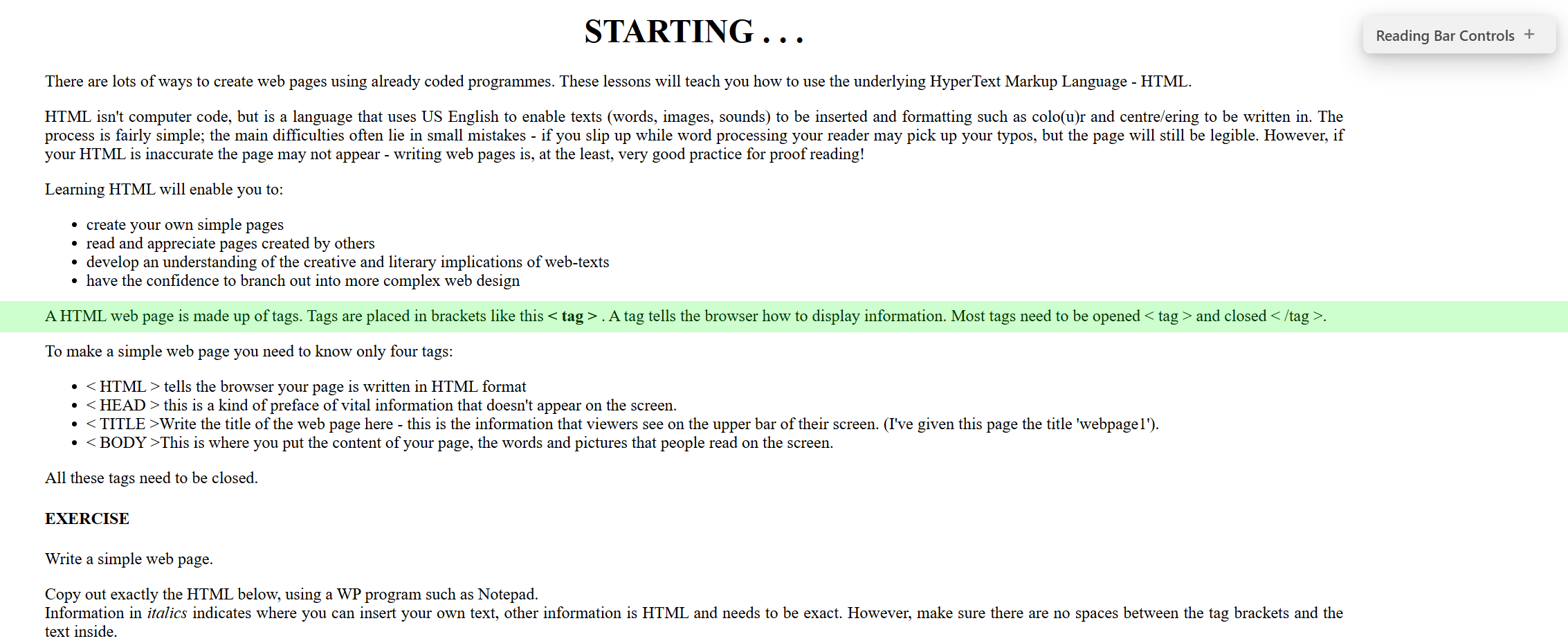
- Enable Highlighter Mode for a reverse effect so that the reading area is highlighted while the rest dims
- Customize the highlighter:
- Choose your highlighter color (default: yellow)
- Adjust highlighter opacity for comfortable reading
- Set a separate hotkey for toggling highlighter mode
Use Cases
- Focused Reading: Eliminate distractions when reading long articles, research papers, or documentation
- Speed Reading Practice: Use the bar to guide your eyes and maintain reading pace
- Accessibility: Reduce visual clutter for users with attention difficulties or reading challenges like ADHD, Dyslexia, etc.
- Online Learning: Stay focused on specific sections while studying or taking online courses
- Code Review: Concentrate on specific lines of code without losing your place
- Proofreading: Review documents line-by-line with enhanced focus
- Presentations: Guide audience attention to specific content during screen sharing
- Research: Maintain focus while reading through multiple tabs of research material